Use on web

Privacy-first apps for everyday work.

Simple, focused tools that run on your device, not in the cloud — in your web browser and on iPhone, iPad, Mac, Windows, Android and Chromebook.

Products

Apps built for one job each.

Pick the one you need. Each app has its own page with the full details and download links.

Pyrbit PDF app icon

Pyrbit PDF

WebiPhoneiPadMacWindowsAndroidChromebook

40+ PDF tools that never leave your device.

Edit the text in a PDF, sign contracts, scan paper into searchable PDFs, redact, protect and convert — in your web browser, or with the same app on your phone, tablet and computer. Documents are processed on the device and never uploaded.

  • Edit text in place, sign, scan, redact and convert
  • Use it in your browser at pdf.pyrbit.com — files never reach our server, and results are deleted after 30 minutes
  • Apps work offline, with no account required
  • Verify Aadhaar digital signatures on your phone
  • Free download on every device

Also on Android tablets and Chromebook. Browse all PDF tools
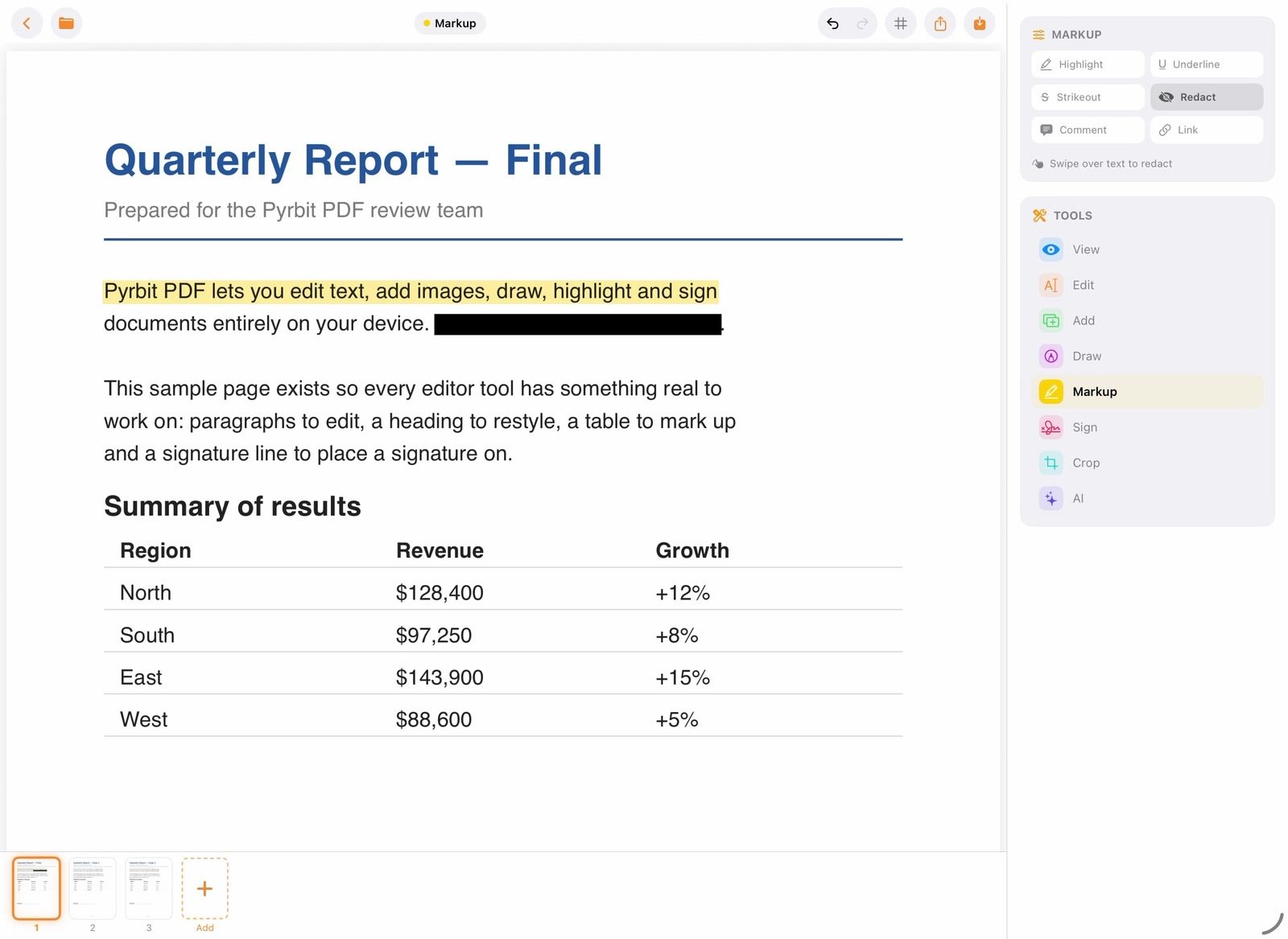
Pyrbit PDF on a computer: a report with a highlighted line and a redacted sentence
Pyrbit PDF home screen on a phone
Unscroll logo

Unscroll

Android

Block Shorts and Reels, and get your time back.

Turn off short-form video on YouTube, Instagram, Facebook, TikTok and Snapchat with a single tap, and set how long you can scroll each day.

  • One-tap Shorts and Reels blocker
  • Daily scroll limits and blocking schedules
  • PIN protection and short 2, 5 or 10 minute pauses
  • Activity data stays on your device

Why Pyrbit

Useful software that respects your device.

We build small, focused apps for real everyday problems, not feature-stuffed suites. Every Pyrbit app is designed to be quick to learn, to run well on the hardware you already own, and to keep your data where it belongs: with you.

Practical

Each app solves one real problem well — editing a PDF or cutting down on short videos. No gimmicks.

Private by design

Pyrbit PDF processes documents on your device, and Unscroll keeps its activity data on your phone.

Simple to use

Clear interfaces that work right out of the box, without a steep learning curve.

Free to start

Every Pyrbit app is free to download. Some offer optional upgrades for people who want more.

Guides

Answers to the PDF problems people actually have.

Most PDF trouble comes down to a handful of tasks: a file that is too big for an upload form, a typo in a document you didn't write, a signature, a scan nobody can search. We write a plain guide for each one, explaining what is really going on inside the file and how to fix it with any tool, not only ours.

Reduce a PDF for an online form

Why scans are so large, what “under 200 KB” really asks for, and how to get there without making the text unreadable.

Edit text without converting to Word

How text is stored in a PDF, why a Word round-trip breaks the layout, and when editing in place works.

Sign a PDF

The difference between a drawn signature and a digital one, and which one a bank, landlord or government office expects.

Make a scan searchable

What OCR adds to a scanned page, how to check it worked, and why some scans need cleaning up first.

Redact a PDF properly

Why a black box drawn over text often hides nothing, and how real redaction removes the words underneath.

e-Aadhaar “Signature not verified”

What the question mark on a downloaded e-Aadhaar means, and how to check the UIDAI signature yourself.

All guides · All PDF tools

Team

The people behind Pyrbit.

Our developer core team designs, builds and supports every Pyrbit app.

  • Alok

  • Ashish

  • Himanshu

  • Sonu Gupta

  • Sudhanshu

  • Shivakant

  • Ayush

  • Aditya

  • Prince

Contact

Get in touch.

Questions, feedback or support for any Pyrbit app — send us an email and we'll get back to you.

Or write to [email protected]